John Aleman
All projects

Micro Frontend Demo

A Next.js 16 shell that composes two independently deployed Vite apps, Products and Orders, at runtime with Module Federation.

Live
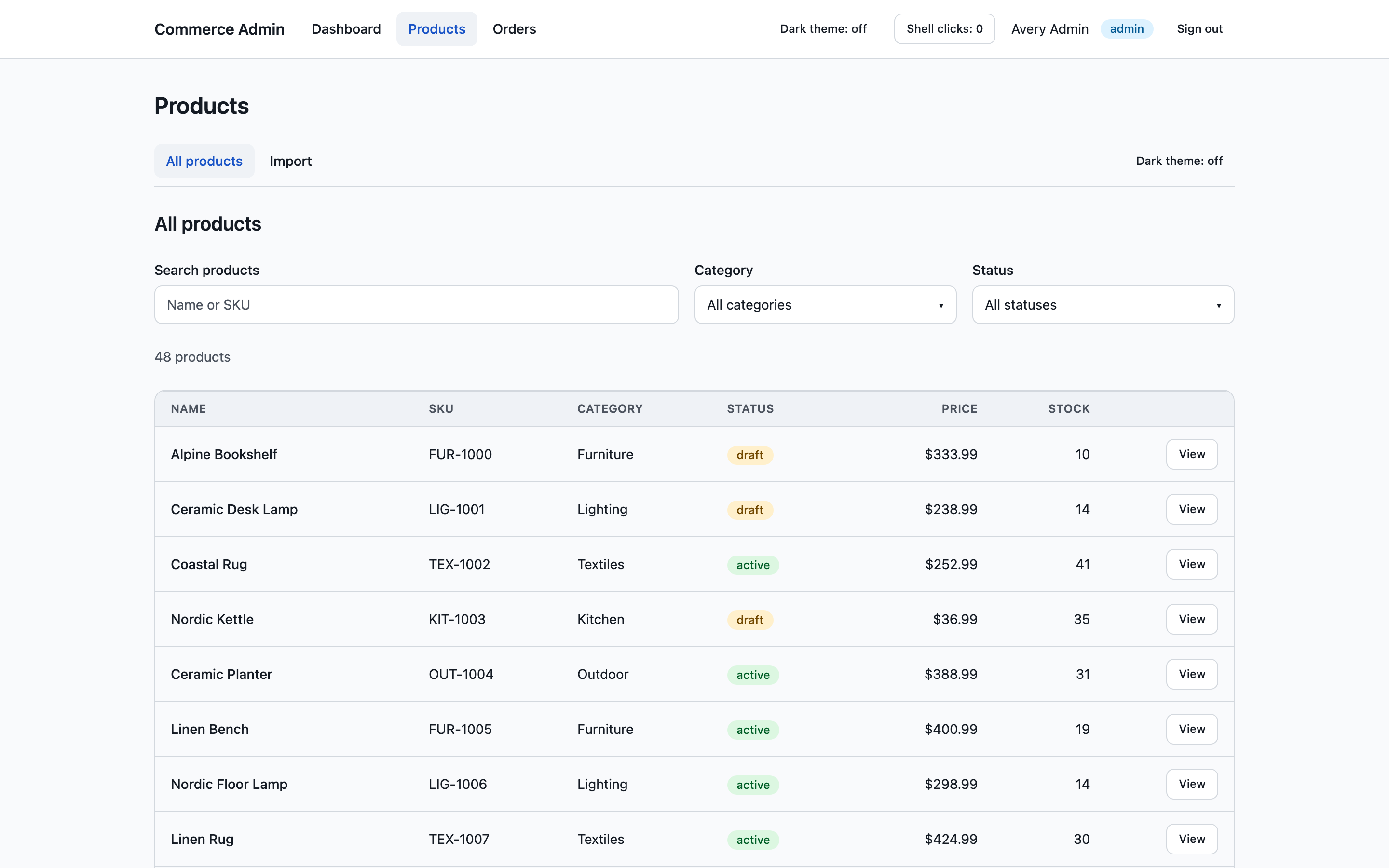
Products table served by the Products micro frontend inside the Next.js shell, with search, category and status filters
The problem
In a large frontend, every change goes through one build and one release, so teams wait on each other.
Who it’s for
Engineering teams weighing micro frontends, and the people who would maintain the boundary between them.
What I built
A Next.js 16 shell that composes two independently deployed Vite apps, Products and Orders, at runtime with Module Federation.
Key decision
The boundary is a small versioned TypeScript contract, not a shared framework, and Next.js is the only owner of browser history.

The problem

Back to contents

Micro frontends promise independent releases. The hard parts are routing, shared state and keeping the shell out of every release. This demo exists to show the boundary working end to end, including the parts that usually break: deep links, Back and Forward, refresh, and shipping one remote alone.

Product experience

What the product does for the people using it, and why it works that way.

Back to contents
  1. It feels like one app

    Moving between the shell’s dashboard, Products and Orders happens in one document, with shared layout and navigation and a shared Radix and Tailwind design system. Users never see the seams.

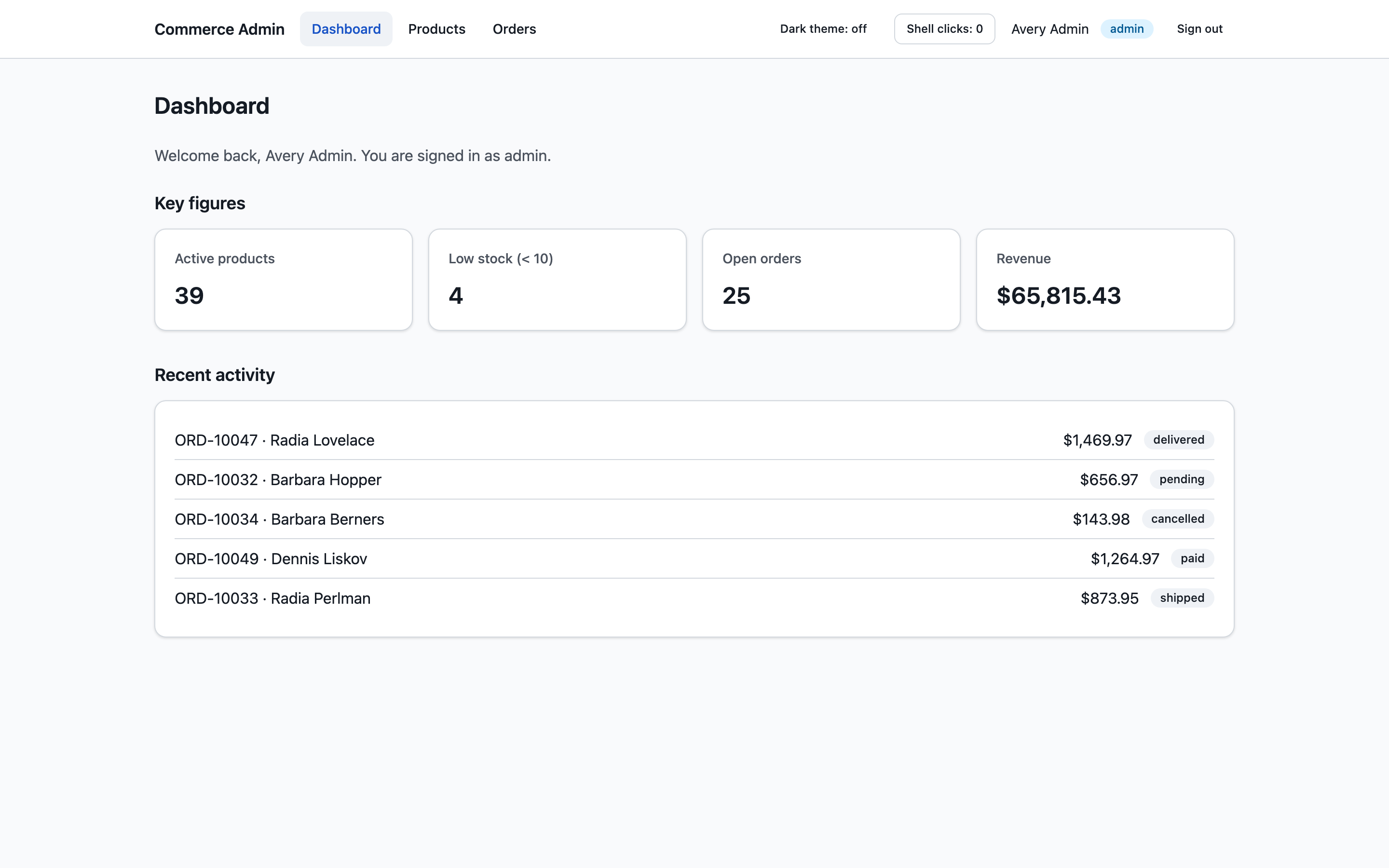
    Dashboard owned by the shell, with key figures for active products, low stock, open orders and revenue above a recent activity list
  2. State survives navigation inside a remote

    Remote state, scroll position and focus persist while moving between a remote’s nested routes, because the remote is never torn down underneath the user.

  3. Navigation behaves like one site

    Back, Forward, refresh and deep links work across the whole app. List filters travel with the link to a detail page, so “Back to products” returns to the same filtered list. After each navigation, focus moves to the new page’s heading so screen readers announce it. The shell handles that between Products and Orders, and each remote handles it within its own pages, so the two never compete.

  4. One theme, one place for notifications

    The theme toggle and notifications are the same whether you are in Products or Orders. A remote can raise a notification, and the shell decides how many show, how long they stay and how they are dismissed.

  5. Validation where the user is typing

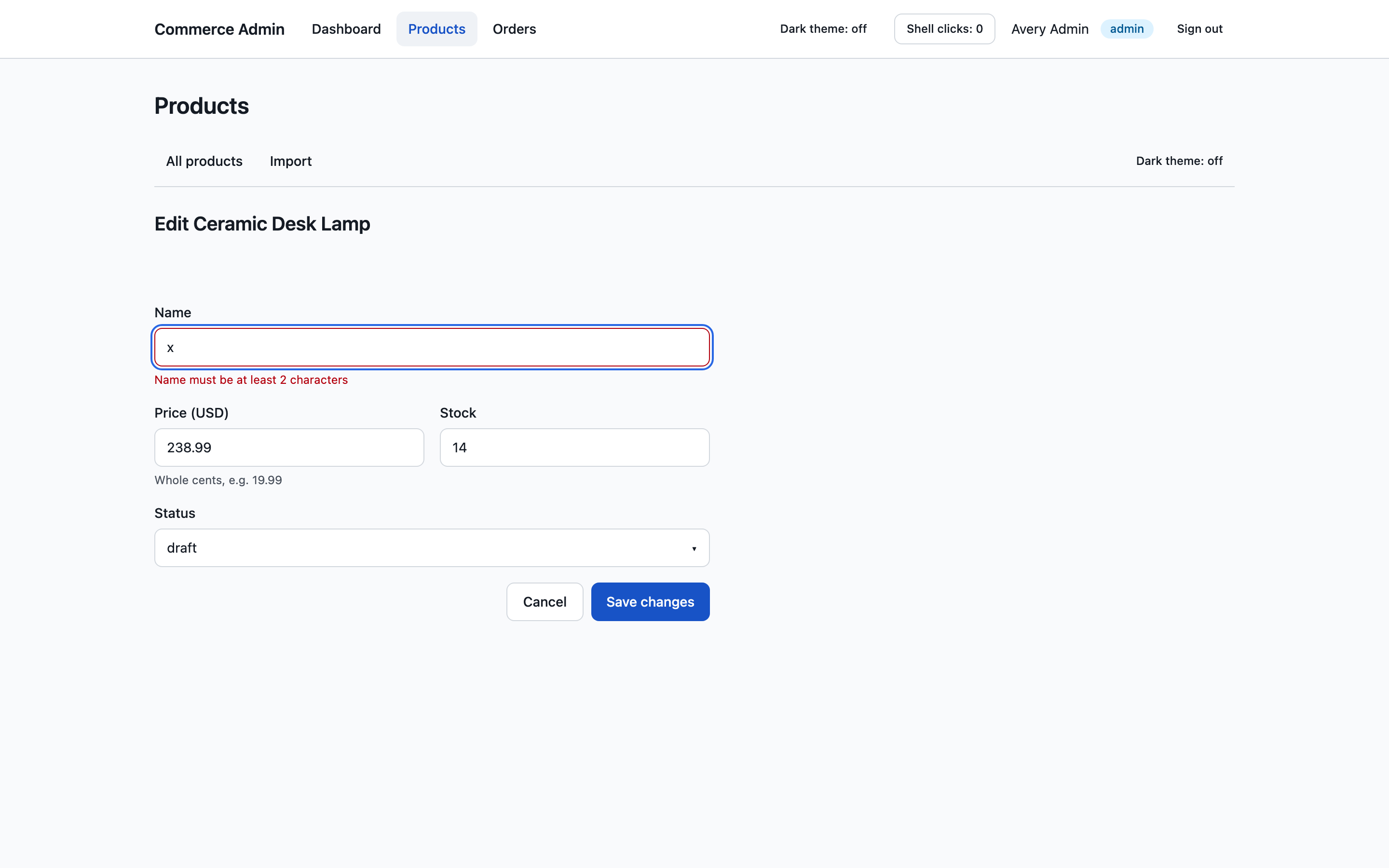
    The Products remote’s forms validate with Zod and show the error under the field that caused it.

    Product edit form showing a Zod validation error, 'Name must be at least 2 characters', under the name field

Engineering decisions

Each one as the decision, the reasoning, the trade-off accepted and the outcome.

Back to contents

One history owner

Decision
Next.js owns browser history. Each remote runs React Router in controlled mode through a small shared package, @mfe/router: the location arrives as a prop, and navigation requests go back up through a navigate function. A remote can navigate to another one (navigate('/orders/o-1')) without knowing anything about it.
Why
The alternatives all had a second source of truth. A browser router in each remote would fight Next.js over history, and a memory router mirrored to Next.js needs two-way syncing with loop guards. Next.js routes for every page would make each new route a shell deployment.
Trade-off
React Router is bundled into each remote rather than shared at runtime. Router state never crosses a remote’s boundary, and sharing it would save a few tens of kilobytes but tie the remotes’ upgrades together. A remote also cannot bring its own browser router.
Outcome
Back, Forward, deep links and refresh need no code in the remotes. Navigating inside a remote made no request to the shell in a production-build test.

Mount in the layout, not the page

Decision
Each remote mounts in the Next.js layout for its namespace rather than in the catch-all page.
Why
An early spike mounted the remote in the page, and Next.js tore its DOM down on every nested navigation.
Trade-off
The shell has to know which namespace (/products/*, /orders/*) belongs to which remote.
Outcome
Remote state, scroll and focus stay alive, and an end-to-end test pins that behaviour.

Every kind of state has exactly one owner

Decision
Server data lives in one TanStack Query client that the shell creates and shares with both remotes, while each remote keeps its own query keys and refreshing. Global UI state (theme and notifications) lives in a small Zustand store in the shell, which remotes reach only through a narrow bridge in their props. Everything else, such as form drafts and dialogs, stays inside the remote, and filters live in the URL.
Why
Only the shell stays mounted while people move between Products and Orders, and state held inside one remote is invisible to the other.
Trade-off
Each new piece of shared state is a contract change (adding the bridge took the contract from 2.0.0 to 3.0.0), and the shell and remotes must agree on the TanStack Query version. Zustand is deliberately not shared, so remotes don’t depend on its version.
Outcome
The global store holds no API data, tokens or session data, only UI requests such as “show this notification”. Remotes still run standalone and in tests, through a local version of the same bridge.

A contract, not a framework

Decision
The boundary is RemoteProps (basePath, navigation, role, ui) in a versioned @mfe/contracts package. Authorization lives in backend handlers, never in the UI.
Why
A small interface can be satisfied in the shell, standalone, or in a unit test, so each remote can be developed and tested alone.
Trade-off
Changing the contract is a versioned change that touches the shell and every remote, so it has to stay deliberately small. A breaking change bumps the major version, and the shell refuses a mismatched remote instead of crashing.
Outcome
Adding a route such as /products/import is a change inside one remote and a deploy of that one site.

Cache the entry point for zero seconds

Decision
remoteEntry.js is served no-cache, and content-hashed assets are immutable for a year.
Why
A new release of a remote has to be picked up immediately, without touching the shell.
Trade-off
Every load revalidates one small file.
Outcome
A script and a test suite prove a remote can ship without a shell redeploy.

Architecture

The shell owns what must be global; each remote owns everything beneath its namespace.

Back to contents

The shell owns layout, navigation, session gating, the shared TanStack Query client, error and loading boundaries, and the route namespaces (/products/*, /orders/*). Each remote owns its nested routes, params, query keys, mutations and feature state.

Nx orchestrates the monorepo, Yarn 4 workspaces organise it, and a shared Radix and Tailwind v4 design system keeps the UI consistent.

BROWSER · ONE DOCUMENT, NO RELOADSNext.js 16 shelllayout · nav · auth gate · route namespaces · RemoteHostProducts remoteVite 7 · React Router (controlled)Orders remoteVite 7 · React Router (controlled)loadRemote()loadRemote()Shared singletonsreact · react-dom · jsx-runtime · TanStack Query@mfe/contractsZod · RemoteProps@mfe/router@mfe/uiRadix + Tailwind v4@mfe/api-clientSHARED WORKSPACE PACKAGESMock BFF / API handlersauthorization enforced server-side
The shell owns layout, routing and session. Products and Orders are separately built remotes loaded at runtime, sharing one copy of React and TanStack Query.
ONE REMOTE SHIPSMergeOrders teamBuildNx, Orders onlyDeployOrders siteremoteEntry.jsno-cacheShell loadsnew hashesTHREE NETLIFY SITESShellno redeploy neededOrdersnew release liveProductsuntouched
Shipping Orders builds and deploys only the Orders site. remoteEntry.js is served no-cache while hashed assets are immutable for a year, so the shell picks up the new release on its next load.

Screenshots

Back to contents

Walkthroughs

Back to contents
  • Overview: dashboard, Products, Orders and back, in one document

  • Products remote: search, filters, detail and form validation

Outcomes and lessons

Back to contents

Shipped

  • The shell and both remotes deploy as three Netlify sites.
  • Nx affected targets run lint, typecheck and Vitest, Playwright against production builds, the independent-deploy proof and a guard that keeps React versions aligned.

Known limits and next steps

  • An unknown nested URL returns HTTP 200 and the remote shows “Page not found”, because the shell deliberately doesn’t know the remotes’ routes.
  • Pages inside a remote don’t set their own browser tab title. That would need a small contract extension.
  • Links between remotes need the shell. A remote running standalone falls back to a normal page load.
  • Next.js 16
  • Module Federation
  • Vite
  • Nx